Film Scanning and Resolution
And print sizes too!

1951 USAF resolution test chart
The following tables show the resultant image dimensions and equivalent megapixel size for three different film types when scanned at a given resolution (dpi). The resolutions I have listed are fairly standard and can (mostly) be achieved by many decent quality home scanners.
To calculate the image size in pixels, according to the scan resolution (dpi):
- Convert the film size into inches
- Multiply each of the two sizes by the scan resolution
Example: 6x7 film scanned at 1200 dpi
- Film size converted to inches = 2.2" x 2.6" (56mm x 67mm)
- 2.2 x 1200 = 2640
- 2.6 x 1200 = 3120
- Image dimensions = 2,640 x 3,120 pixels
To calculate the equivalent file size in megapixels:
- Multiply the two image dimension values
- Divide the total by 1,000,000
Example: 6x7 film scanned at 1200 dpi
- 2,640 x 3,120 = 8,236,800
- 8,236,800 / 1,000,000 = 8.2mp
| 35mm Film | ||
|---|---|---|
| Resolution (dpi) | Image Size (pixels) | Megapixels |
| 600 | 840 x 540 | 0.5 |
| 1200 | 1680 x 1080 | 1.8 |
| 2400 | 3360 x 2160 | 7.2 |
| 3200 | 4480 x 2880 | 13 |
| 4800 | 6720 x 4320 | 29 |
| 120 Film (6x7) | ||
|---|---|---|
| Resolution (dpi) | Image Size (pixels) | Megapixels |
| 600 | 1320 x 1560 | 2 |
| 1200 | 2640 x 3120 | 8.2 |
| 2400 | 5280 x 6240 | 33 |
| 3200 | 7040 x 8320 | 59 |
| 4800 | 10560 x 12480 | 132 |
| Large Format Film (5"x4") | ||
|---|---|---|
| Resolution (dpi) | Image Size (pixels) | Megapixels |
| 600 | 3000 x 2400 | 7.2 |
| 1200 | 6000 x 4800 | 28.8 |
| 2400 | 12000 x 9600 | 115 |
| 3200 | 16000 x 12800 | 205 |
| 4800 | 24000 x 19200 | 461 |
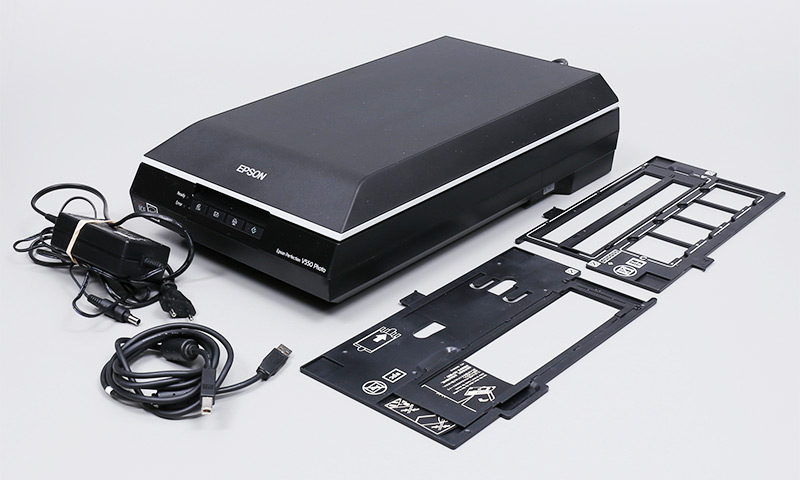
Epson V550 scanner with negative holders
The table below details various sized prints and the image size, in megapixels, that you will need to print without enlarging your image. I've used 300dpi as the print resolution as that is the most common. Some fine art printing businesses may offer higher resolution, even up to 600dpi. For images printed at 600dpi your file will need to be four times the size in megapixels as would the 300dpi version.
| Print Sizes at 300dpi | ||
|---|---|---|
| Print Size | Image Size (pixels) | Megapixels |
| 4" x 5" | 1200 x 1500 | 1.8 |
| 8" x 10" | 2400 x 3000 | 7.2 |
| 12" x 16" | 3600 x 4800 | 18 |
| 16" x 20" | 4800 x 6000 | 29 |
| 24" x 36" | 7200 x 10800 | 78 |
You may hear people bragging about the amazing prints they have made from smaller files. That's fine, I'm not debating that. The purpose of the table is to show the file size that you will need to print without enlarging the image; in theory, that should be the minimum for the best quality print.
Of course, you need a good negative to start with and, the media on which you will be printing can make a big difference. If you are making a fine art print using a giclee printer you had better have an amazing file, if you are printing on to a stippled media, canvas for example, you can get away with less quality.
Recent Articles


Subscribe